New users
We expect that when a new student, using your SSO, logs in to ATLAS for the first time that a new account is automatically created for them.
Here's how it works:
A new student / new ATLAS user signs in to ATLAS using your institution’s SSO.
An account is created for the student and marked as "pending" in ATLAS.
The new student receives an auto-generated email from ATLAS, asking them to finish creating their account (such as creating a password).
Once the student finishes creating their account, they are fully activated and can access cases in ATLAS.
Existing users
Depending on your identity management tool, existing users may be taken to the ATLAS log in page.
Here’s what to do next:
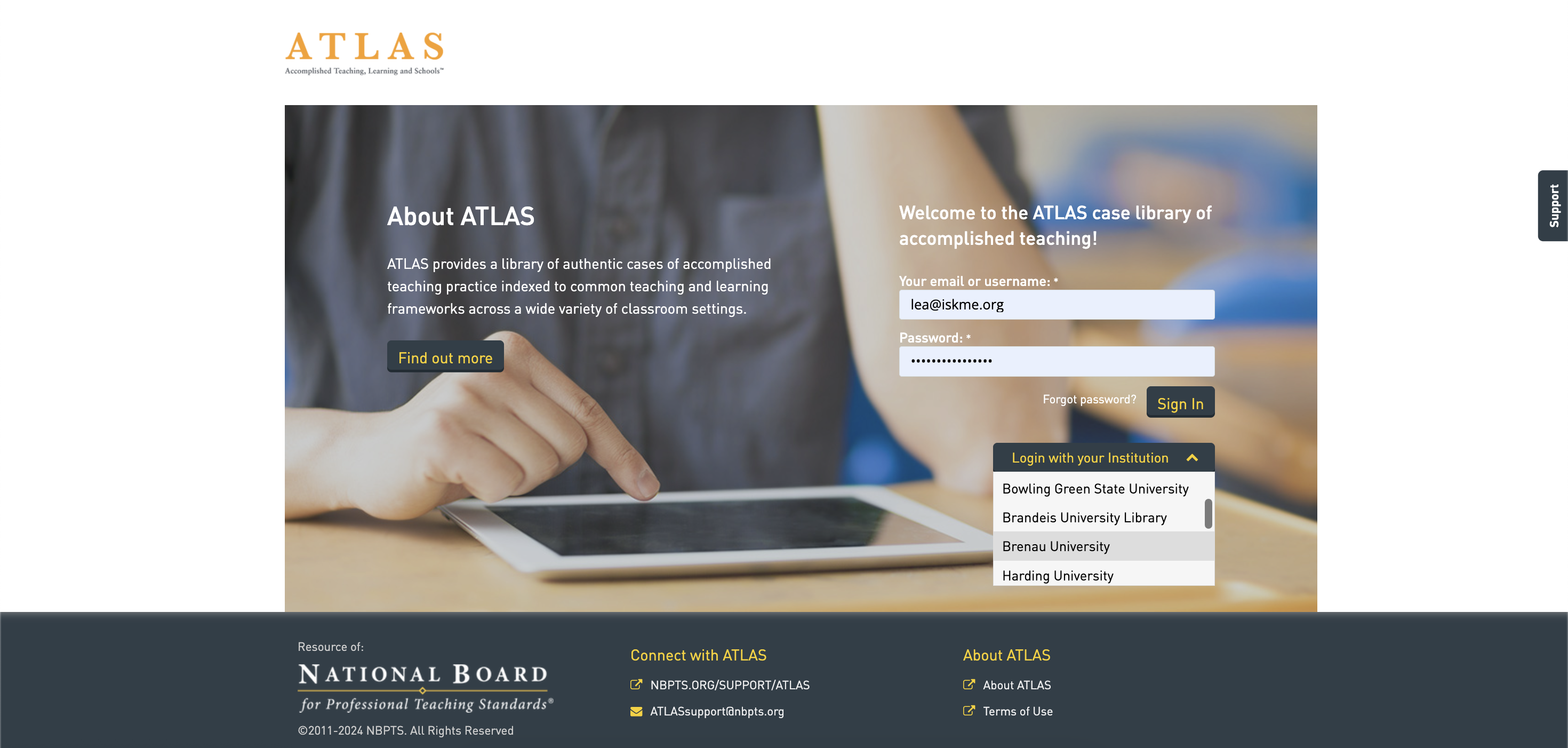
On the log in page, select your organization from the dropdown list, “Log in with your institution.” See screenshot below.
Complete your name and password fields and submit.
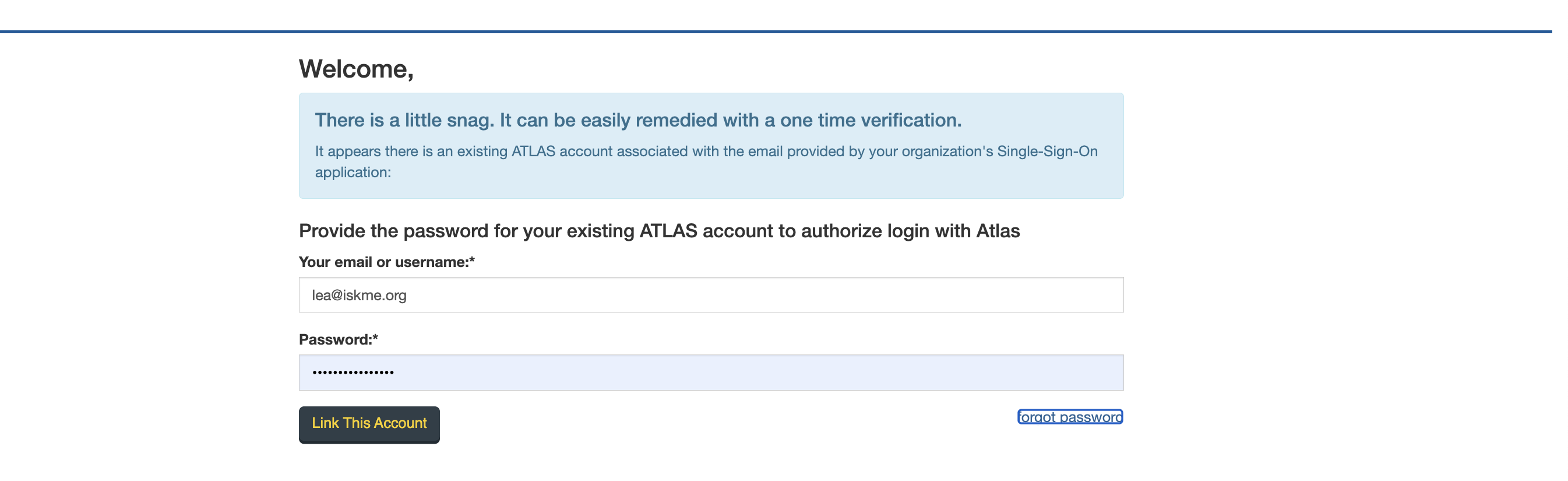
You may receive a message that asks you to verify your account. See screenshot below
Click on “Link account.”
If your existing account matches, you will be taken to the ATLAS home page.
If your existing account does not match or if you’ve forgotten your password, click on “forgot password.”
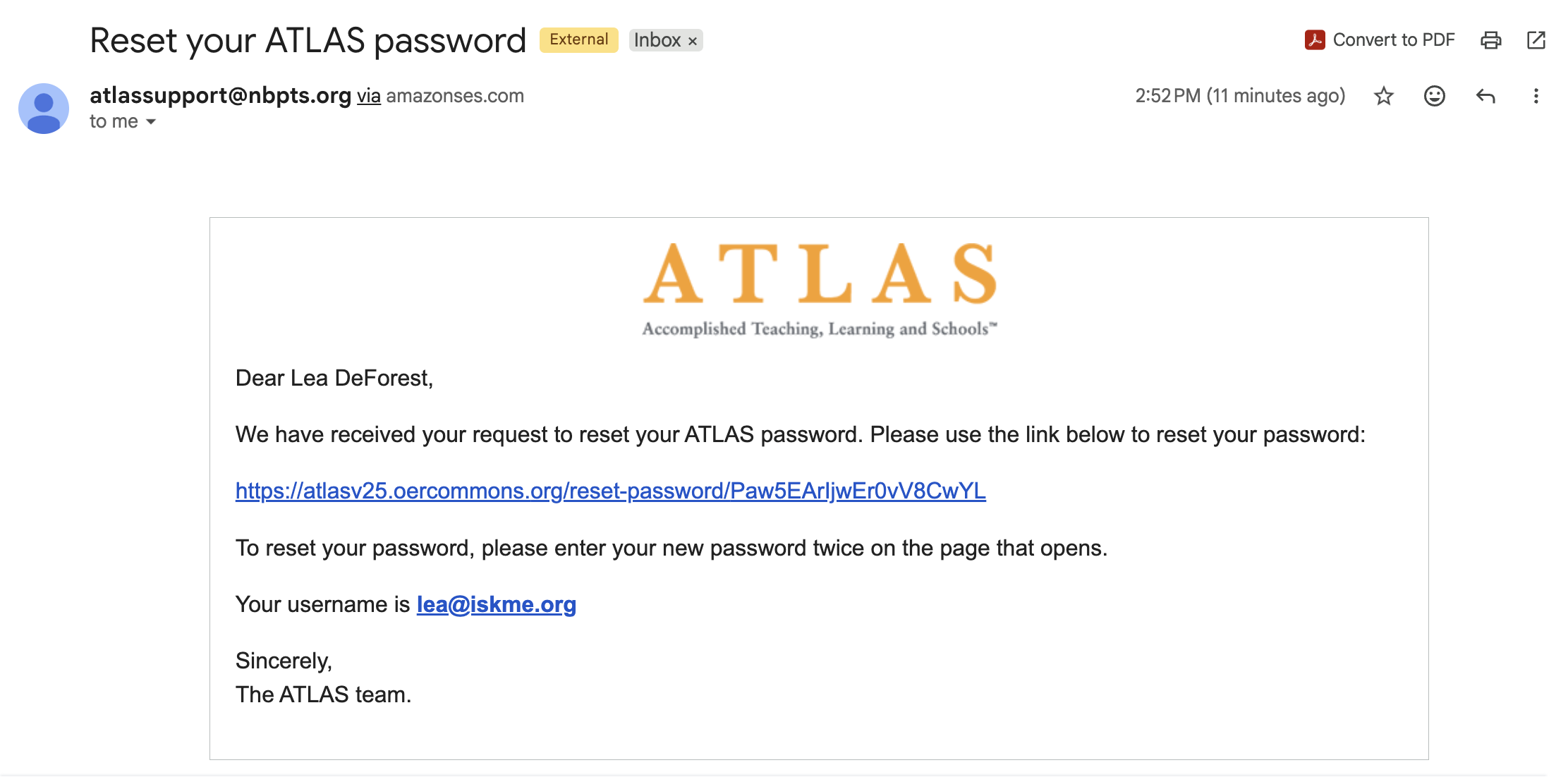
An email will be sent to the email address affiliated with your ATLAS account. See screenshot below.
Click on the link to reset your password.
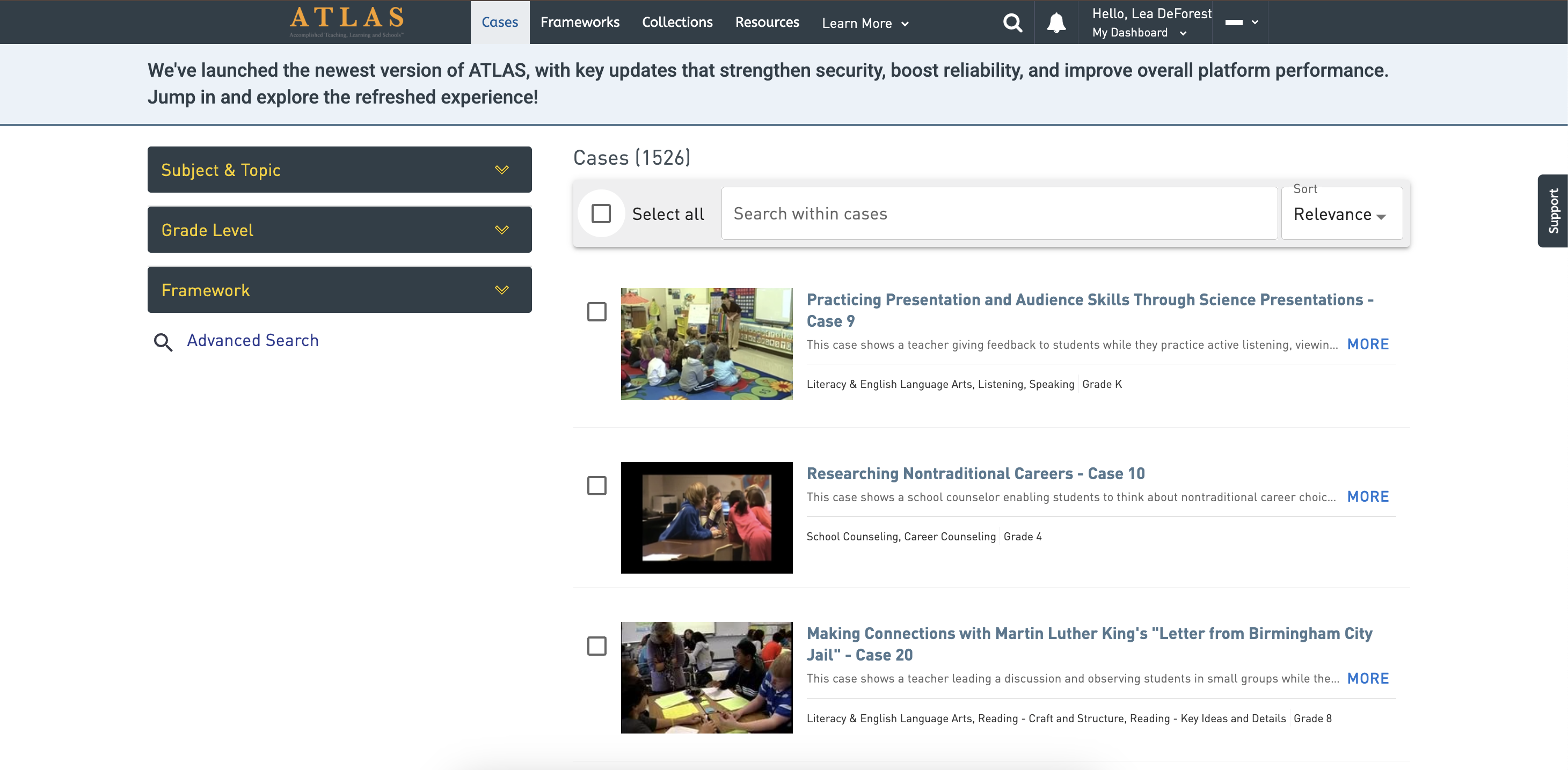
When you have successfully logged in, you will see the ATLAS cases page. Your name will be at the top of the page in the upper right corner. See screenshot below
Screenshots
On the log in page, select your organization from the dropdown list, “Log in with your institution.”
You may receive a message that asks you to verify your account.
An email will be sent to the email address affiliated with your ATLAS account.
When you have successfully logged in, you will see the ATLAS cases page. Your name will be at the top of the page in the upper right corner.